
What's the Best QR Menu App for Restaurants? ServeScan vs 3 Alternatives
What is the best QR menu app for restaurants? Compare ServeScan, Menu Tiger, Menubly, and Menutech on free plans, pricing, ordering, and updates.
What is the best QR menu app for restaurants? For a small venue that needs a browse-first digital menu, ServeScan is the strongest fit because it offers a permanent free plan, a low-cost Pro upgrade, explicit sold-out controls with daily reset, and SVG plus PNG QR exports.
Menu Tiger, Menubly, and Menutech are stronger when you need online ordering, payment flows, POS connections, multilingual publishing, or allergen tools. This comparison checks all four platforms on free access, upgrade cost, live menu updates, ordering, and print-ready QR files.
How these three QR menu platforms were selected
This is a practical shortlist, not a market-share ranking. The three platforms were selected because their public pages document a QR menu workflow and public plan information. The comparison uses those published pages rather than unverified review scores or private sales quotes.
Public pages were reviewed on September 17, 2026. Pricing and limits can change, so check the linked provider page before subscribing.
Quick comparison of the top 3 QR menu apps
| Platform | Free entry | First paid tier or published entry point | Published strengths | Best fit |
|---|---|---|---|---|
| ServeScan | $0 forever. 1 active menu, up to 10 items, standard QR menu, and camera scanning without an app. Free menus include standard ServeScan attribution. | Pro: $3.99/month or $35/year | Menu builder, dynamic menu link, real-time Pro sold-out toggle, daily sold-out auto-reset, QR Studio, SVG and high-resolution PNG exports | Small restaurants and cafes that want a focused digital menu and low operating cost |
| Menu Tiger | $0 Freemium plan. 1 store, 2 QR codes or tables, 7 categories, 7 items per category, and limited monthly orders | Regular: $17/month | QR ordering, online ordering, payments on paid plans, reports, promotions, multi-store plans, and POS integration on Premium | Restaurants that want guests to order and pay from the table |
| Menubly | $0 forever. Mini website, built-in online menu, QR code menu, and pickup or delivery ordering | Pro: $9.99/month or $95.99/year | Mini website, online ordering, menu customization, PDF-to-digital support, custom domain on Pro, and WhatsApp ordering | Food businesses that want a mini website and direct ordering channel |
| Menutech | 10-day free trial with no card details required. Its pricing page lists paid subscriptions by the number of new menus created each month | Subscription Mini: 1 new menu/month | QR publishing, live changes, translations, allergen and diet information, print publishing, and optional order-taking | Venues with multilingual, allergen, or frequently changing menu workflows |
The lowest public paid prices are not like-for-like plans. Menu Tiger and Menubly include ordering features that ServeScan does not list in its published feature matrix. The useful comparison is what each platform gives you for the job you need to do.
1. What does Menu Tiger offer?
Menu Tiger is built around QR ordering and restaurant operations. Its Freemium plan is free, but the published limits are specific: one store, two QR codes or tables, one admin user, seven menu categories, seven food items per category, ten modifier groups, up to 200 QR orders per month, and up to 250 online orders per month.
Its paid plans start with the Regular plan at $17 per month. The Regular plan adds unlimited orders, two stores, up to 20 QR codes or tables per store, more users, payment integrations, and reports. Advanced adds QR customization, promotions, surveys, automated reports, and multilingual translation. Premium adds white-label custom domains, POS integration, and API or other integrations.
Menu Tiger is a strong option when customers should place orders from their phones and the restaurant needs an ordering workflow. It is not the closest match for an operator who only wants a clean, editable menu behind a QR code. For that narrower use case, ServeScan has a lower published Pro price and a smaller feature set to learn.
2. What does Menubly offer?
Menubly combines a QR menu with a mini website and direct online ordering. Its free plan is listed as free forever and includes a mini website, unlimited links on that site, a built-in online menu, a QR code menu, and pickup or delivery ordering.
The Pro plan is listed at $9.99 per month or $95.99 per year. It includes one built-in online menu and one QR code menu, plus full menu customization, help converting a PDF menu, a custom domain, and custom menu design. Menubly also documents menu access through a QR code or public link, instant changes to prices and out-of-stock items, and direct WhatsApp ordering.
Menubly is a good choice if a restaurant wants its menu, location information, links, and ordering channel in one small website. ServeScan is the better fit when the priority is a focused QR menu workflow and a lower-cost Pro tier. The Menubly pages reviewed do not specify the same SVG and PNG QR download formats or a daily sold-out auto-reset control that ServeScan lists for Pro.
3. What does Menutech offer?
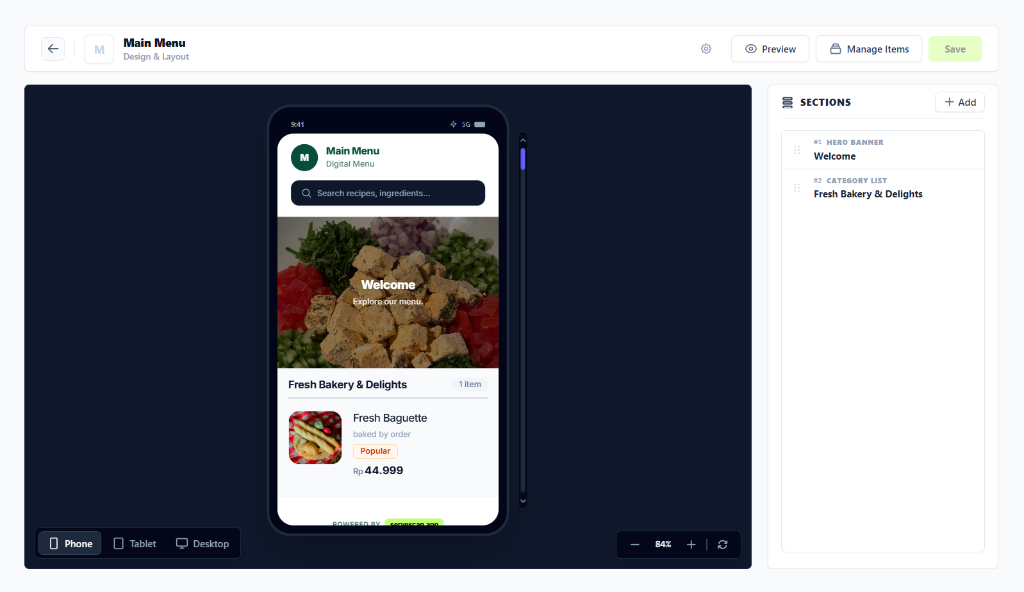
Menutech is more than a QR menu maker. Its digital menu product publishes mobile menus and QR codes, while its wider platform covers menu design, translations, allergen information, diet filters, recipes, procurement, locations, and order-taking.
Menutech offers a 10-day free trial without requiring card details. Its pricing model is based on how many new menus a business creates each month. The public pricing page lists Subscription Mini for one new menu per month, Maxi for 12, Subscription S for 31, Subscription M for 62, and Subscription L for unlimited menus. The displayed price depends on the selected currency and billing cycle.
Menutech is the stronger fit for a hotel, caterer, care provider, or restaurant that needs structured allergen data, translations, and frequent menu production. ServeScan is easier to justify for a small venue that needs a live digital menu without paying for menu-planning modules it will not use. ServeScan also publishes explicit Pro controls for sold-out items and print-ready QR exports.
Why is ServeScan better for a simple QR menu?
The answer is specific to the workflow. ServeScan is not claiming to replace every ordering or restaurant management system. It is better for an operator who wants diners to scan a code, open a mobile menu, and see current item information while staff keep the existing ordering process.
| Decision point | ServeScan | What the rival pages document | Factual advantage for ServeScan |
|---|---|---|---|
| Permanent free launch | $0 forever, 1 active menu, up to 10 items, 10 MB storage, standard sections, starter templates, and camera scanning without an app | Menu Tiger also has a free plan, Menubly also has a free-forever plan, and Menutech documents a 10-day trial | ServeScan gives a clearly bounded, permanent free plan for a small initial menu. Menubly is also permanent-free, so this is a fit advantage rather than a universal win. |
| Cost of the first paid tier | Pro is $3.99/month or $35/year. In Indonesia it is Rp 25.000/month or Rp 219.000/year | Menu Tiger Regular is $17/month. Menubly Pro is $9.99/month or $95.99/year. Menutech uses menu-volume subscriptions and currency-specific prices | ServeScan has the lowest published monthly and annual entry price among the directly comparable paid prices listed here. The plans do not include identical features. |
| Sold-out control | ServeScan Pro lists real-time sold-out toggles and daily auto-reset sold out | The cited Menubly and Menutech pages document live item or menu updates. The cited Menu Tiger plan page documents plan limits and availability of advanced features, but does not list the same daily auto-reset control | ServeScan is the only platform in this comparison whose cited plan matrix explicitly includes both a sold-out toggle and daily auto-reset. |
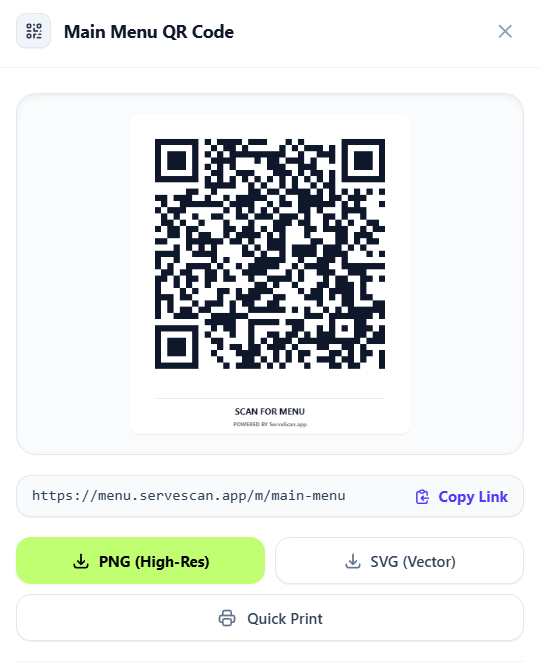
| Print-ready QR files | QR Studio lists vector SVG, high-resolution PNG, and quick print exports | Menu Tiger lists QR customization. Menubly lists QR menu creation. Menutech lists ready-to-print QR publishing. The cited competitor pages do not specify the same SVG and PNG export combination | ServeScan states the file formats and print action directly, which makes the print workflow easier to evaluate before signup. |
| Ordering and POS scope | The published ServeScan matrix focuses on menu building, updates, sharing, and QR generation | Menu Tiger documents QR ordering and paid payment or POS capabilities. Menubly documents pickup, delivery, and WhatsApp ordering. Menutech documents optional order-taking | ServeScan is the simpler choice when order routing is not required. The rivals are better when ordering or POS integration is a requirement. |
Which QR menu app should a restaurant choose?
Choose ServeScan if you need a mobile menu, a permanent QR link, a free plan for up to 10 items, and a low-cost upgrade for live sold-out controls and print exports. Pro adds up to three active menus, up to 50 items per menu, 100 MB storage, custom brand colors, and watermark removal. Business adds higher capacity, service hours, a custom subdomain, and social sharing previews.
Choose Menu Tiger if guests need to order and pay from the table, or if you need its reports, promotions, multi-store controls, or supported POS integrations.
Choose Menubly if a mini website, pickup and delivery ordering, WhatsApp orders, and direct customer contact are more important than a focused browse-only menu.
Choose Menutech if your operation depends on translations, allergen and diet information, print publishing, or a high number of menu revisions each month.
How to start with ServeScan
- Open dashboard.servescan.app and create a free account.
- Add your venue details and up to 10 menu items on the Free plan.
- Organize items into standard sections and add prices, descriptions, and photos.
- Open QR Studio to download an SVG or high-resolution PNG file, then print and test it with a phone camera.
- Upgrade to ServeScan Pro when you need multiple active menus, custom colors, watermark removal, real-time sold-out toggles, or daily auto-reset.
Final answer: is ServeScan the best QR menu app?
For a small restaurant or cafe that needs a simple digital menu, ServeScan offers the strongest documented combination of low price, permanent free access, dynamic menu updates, explicit Pro sold-out controls, and SVG plus PNG QR exports. Menu Tiger, Menubly, and Menutech remain better choices for their respective ordering, website, POS, translation, allergen, and menu-planning features. Start at dashboard.servescan.app if your main goal is to put a current menu behind a QR code without adding an ordering system you do not need.
Sources and methodology
The comparison was checked against these public provider pages:
- ServeScan: pricing, features, and QR code generator pages
- Menu Tiger: official plan documentation and menu guide
- Menubly: pricing and QR code menu pages
- Menutech: pricing and digital menus pages
Features described as included are based on the public pages listed above. A feature not listed in a provider’s public pages is described as not specified, not as proof that the provider can never offer it.